
Add LineUp to an iPhone Home Screen With Safari
Most phones in Canada are iPhones, so the LineUp casino iOS setup comes first. You need Safari and about half a minute:
1 Open lineup.bet in Safari
Open lineup.bet in Safari and wait for the home page to load fully.
2 Tap the Share button
Tap the Share button, the square with an arrow. On newer iOS versions it can sit behind the three-dot menu next to the address bar.
3 Choose Add to Home Screen
Scroll the list of actions and tap Add to Home Screen.
4 Name it and tap Add
Keep the suggested name or type LineUp, then tap Add in the top corner.
The icon lands on the first free spot of your home screen. Tap it and LineUp opens in its own window, without the Safari address bar and tabs. You sign in there with the same e-mail and password, or the same social icon, as on a computer.
Installing on Android: Chrome Menu, No APK File
The LineUp casino Android version is set up from Chrome. Do not wait for an install banner: the site does not show one, so the option lives in the browser menu.
1 Open lineup.bet in Chrome
Open lineup.bet in Chrome.
2 Open the three-dot menu
Tap the three-dot menu in the top right corner.
3 Choose Add to home screen
Choose Add to home screen. If Chrome offers Install or Create shortcut, either one puts LineUp on your screen.
4 Confirm with Add
Confirm with Add, or drag the icon to the spot you want.
No file goes to your Downloads folder, and Android never asks you to allow apps from unknown sources. If a website or a message offers a “LineUp APK”, close it. Samsung Internet and other Android browsers have a similar Add page to home screen item in their menus.
Why There Is No LineUp App in the App Store or Google Play
LineUp runs its mobile product as a progressive web app. The site carries a web manifest that tells the phone to open it in a standalone window, and a service worker that keeps the core files of the interface on the device. To you it looks and behaves like an installed app, but it is still lineup.bet underneath.
The stores are a different matter. Apple and Google list real-money gambling apps only for operators licensed in the country where the app is offered, and LineUp is operated by Software Solutions S.R.L. from Costa Rica. So there is no LineUp listing in either store, and the brand does not hand out APK files.
This makes the safety rule simple. Anything called a LineUp app in a store, or an APK on a file-sharing site, was not made by LineUp. Add the icon only after you have checked that the address bar shows lineup.bet.
Nothing to Download or Update: What Your Phone Needs
A LineUp casino download in the usual sense does not exist. Nothing is fetched from a store and nothing is unpacked, so there is no installer size to check and no update to run. When LineUp changes the lobby, the cashier or the betting widget, the icon on your screen opens the new version the next time you launch it.
What the phone does need is short:
- an up-to-date Safari on iPhone or Chrome on Android, since the Add to Home Screen option comes from the browser;
- a working internet connection, because games, odds, the balance and live tables load from LineUp servers in real time;
- the e-mail and password of your account, or the Google, Microsoft, Apple or Telegram profile you signed up with.
The files the browser keeps for the web app take little space on the phone, and none of them let you play offline.
Inside the App: Bottom Menu, More Tab and the Lobby
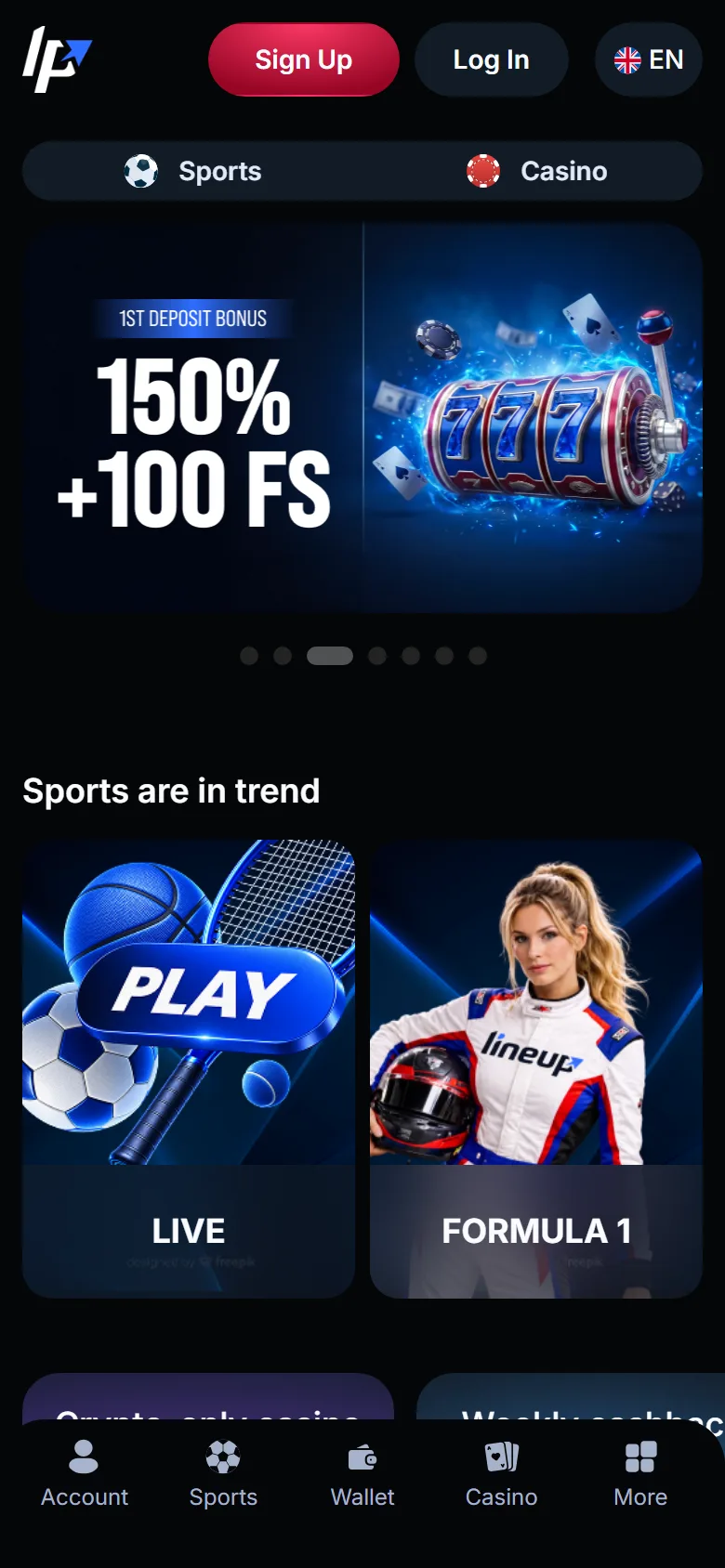
On a 390-pixel iPhone screen the web app opens on the home page. At the top is a Sports and Casino switch, under it a slider with the current deposit offers, then a “Sports are in trend” row with upcoming events. A menu bar is fixed at the bottom of the screen, so the main sections stay under your thumb while you scroll.
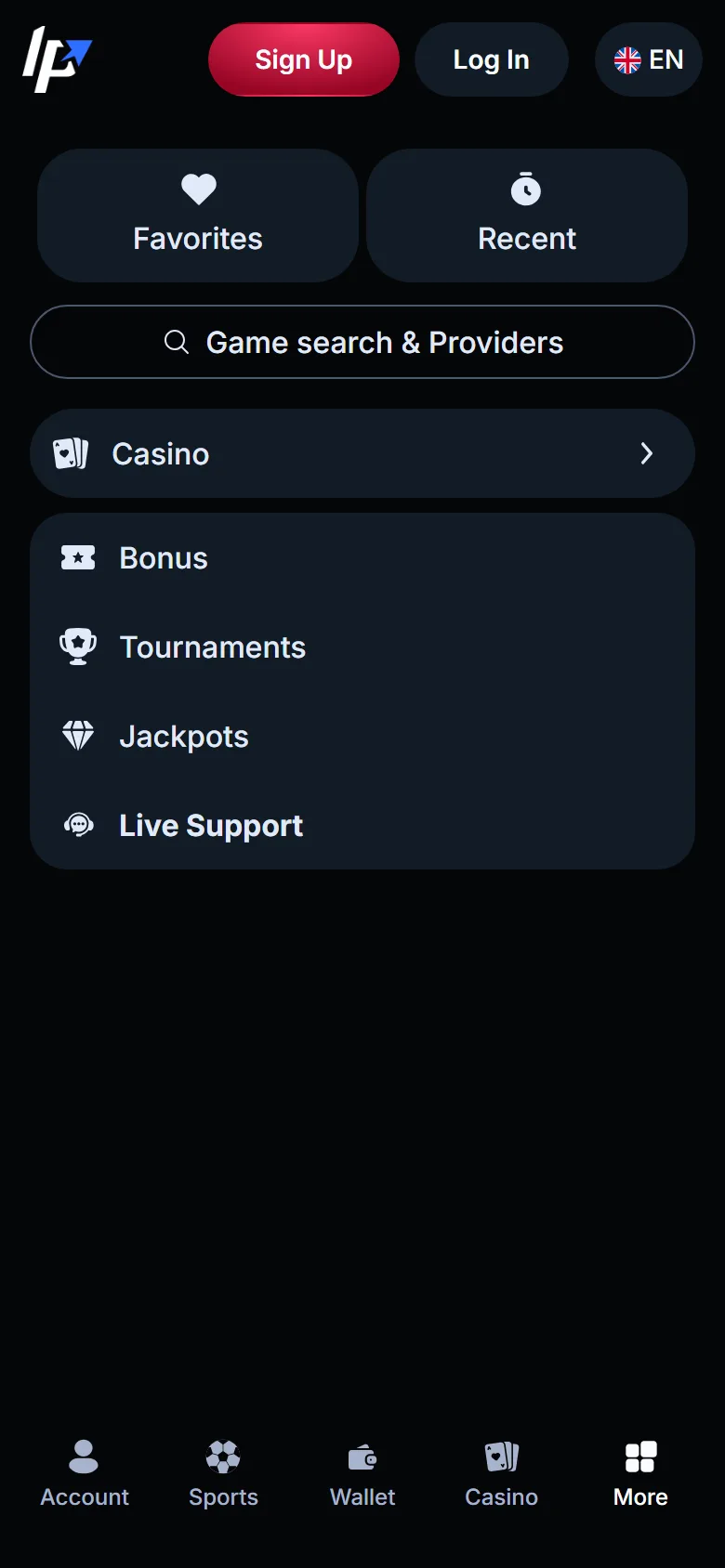
The More tab holds everything that does not fit there: Favorites, Recent, game search, Casino, Bonus, Tournaments, Jackpots and Live Support, the menu item that opens Live Chat. Recent is handy on a phone, because it brings back the slot or table you left a few minutes ago without searching again.
Switch to Casino and the lobby keeps the desktop layout in a narrow column: a search bar, the category tabs from Top to Live and Table Games, and the Top games row below. On the Sports side the widget shows Popular, Live and Upcoming tabs, and odds are shown in the American format, such as +148.
Web App, Mobile Browser or Computer: What Changes
The three ways to play use the same account, so the choice is about comfort, not about features. Here is how they differ in practice:
| Home screen web app | Mobile browser | Computer | |
|---|---|---|---|
| How you open it | icon on the home screen | typing lineup.bet or a bookmark | browser tab |
| Address bar and tabs | hidden, own window | visible | visible |
| Login | once inside the web app | once in the browser | once in the browser |
| Balance, bonuses, bet history | shared | shared | shared |
| Updates | automatic | automatic | automatic |
| Layout | phone layout with bottom menu | phone layout with bottom menu | full desktop layout |
For LineUp casino mobile play, the web app wins on speed of access: one tap instead of a typed address. The computer is easier for long sessions at live tables and for reading the full betting rules. Your deposits and open bets follow you from one device to another.
Signing Up, Crypto Deposits and Bonuses on a Phone
The mobile Sign Up window has everything the desktop one has: four social icons, the e-mail and password fields and two checkboxes. The LineUp sign-up form works inside the web app, so a new player can go from the home screen icon to a funded account without opening Safari or Chrome.
Deposits are made in cryptocurrency. In the cashier you choose the coin and the network, for example USDT on TRC20, copy the address and send the funds from a wallet app on the same phone. Network fees come on top. Compare the network in the wallet with the one in the cashier before you confirm: coins sent over the wrong network may never reach the balance.
Casino bonuses are accepted in the profile, and the Sport Welcome Pack is switched on from the Sports page, as on a computer.
A phone is always within reach, so set limits early. LineUp is for adults 19 and older, and Customer Support can set a deposit limit on request.
When the Web App Acts Up: Quick Fixes
Most problems with the home screen icon come from the browser, not from LineUp. Find your symptom in the table:
| What happens | What to do |
|---|---|
| No Add to Home Screen option | you are in the built-in browser of a messenger or social app; open lineup.bet in Safari or Chrome itself |
| The icon opens a normal browser tab | delete the icon and add it again from Safari or Chrome |
| A game does not load | refresh, then clear the browser cache and cookies, turn off ad blockers and VPN, or try another browser |
| You are suddenly logged out | the session ended or browser data was cleared; log in again inside the web app |
| A deposit is not on the balance | check the network and the transaction in your wallet, then contact Live Chat |
If the password is not accepted or the reset e-mail does not come, the fix is the same as for the LineUp casino login in a browser. For anything else, use Live Chat (the Live Support item in the More tab), and the e-mail address is support@lineup.bet. If lineup.bet does not open at all, write to support instead of searching for copies of the site.
LineUp App Questions From Canadian Players
Is the LineUp web app free?
Yes. Adding the web app to your home screen costs nothing, and there is no paid version or subscription. You only pay for the mobile data the games and streams use, so live tables are easier on Wi-Fi.
Can I add LineUp with Chrome on an iPhone?
Yes. On current iOS versions Chrome and other browsers also have Add to Home Screen in their Share menu. Safari remains the most reliable route, so start there if the item is missing in another browser.
Does the web app work without internet?
The icon may still open the LineUp window, but you cannot play, bet or see your balance offline. Every spin, bet and payment goes through LineUp servers. A weak signal can also pause a live stream, so bets placed in-play may need to be checked in your bet history.
How do I remove the LineUp icon?
Press and hold the icon and choose the remove or delete option, as with any other app. This deletes only the shortcut and the stored files. Your account, balance and bonuses stay untouched, and you can add the icon again at any time.
Why does the web app ask me to log in when Safari already did?
On iPhone, a home screen web app keeps its own cookies and session, separate from Safari. Log in once inside the web app, and it remembers you there. Logging out in one place does not log you out in the other.