
How to Log In to LineUp With Your E-mail
Logging in to LineUp casino looks the same in a desktop browser and on a phone. These five actions take you from the home page to your account:
1 Open the login window
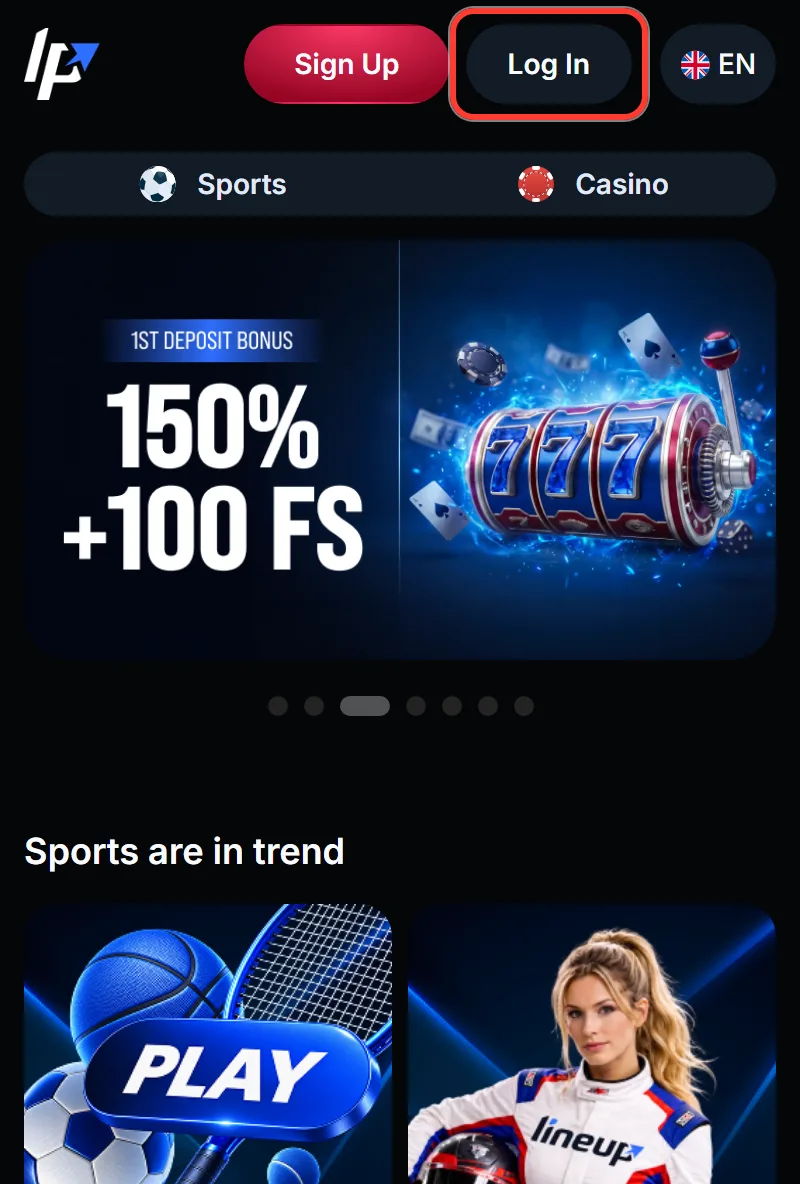
Click Log In in the header, right next to the Sign Up button. The login window opens on top of the page you are on, so you stay where you were.
2 Enter your e-mail
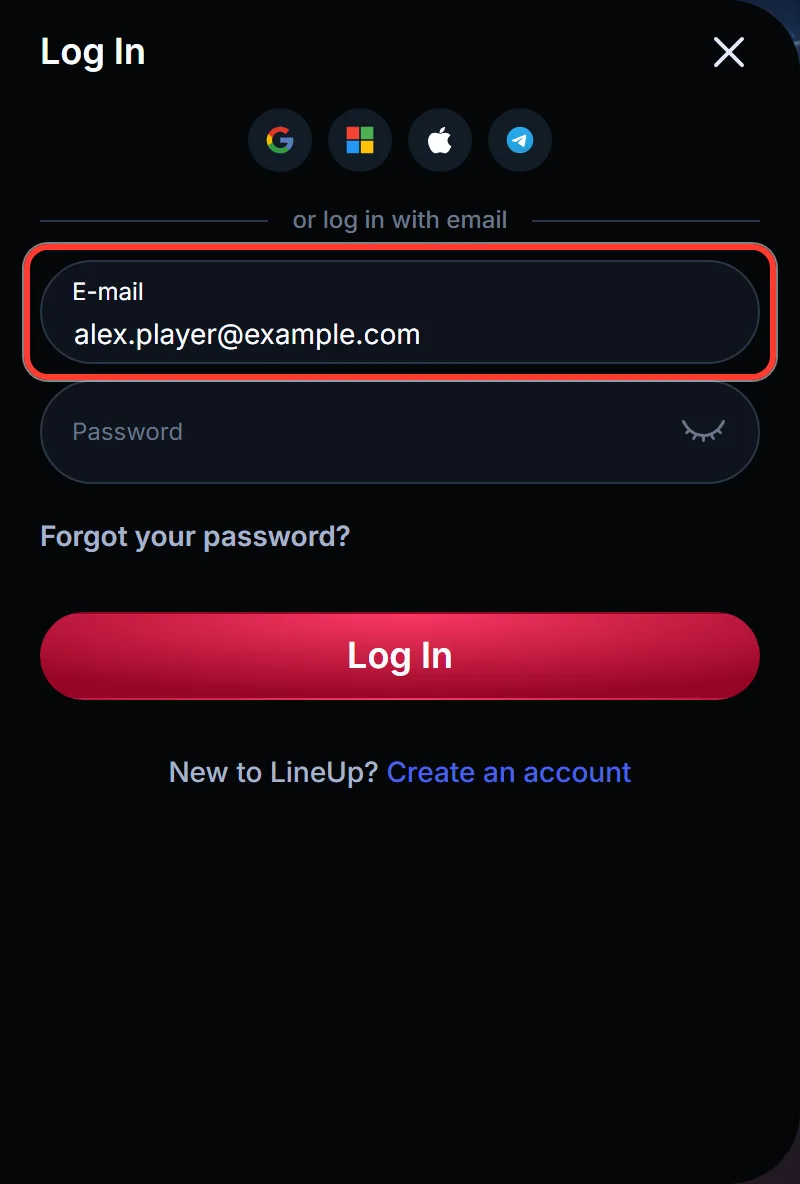
Type the e-mail you registered with into the E-mail field. It has to be the exact address of your account, not another inbox you own.
3 Type your password
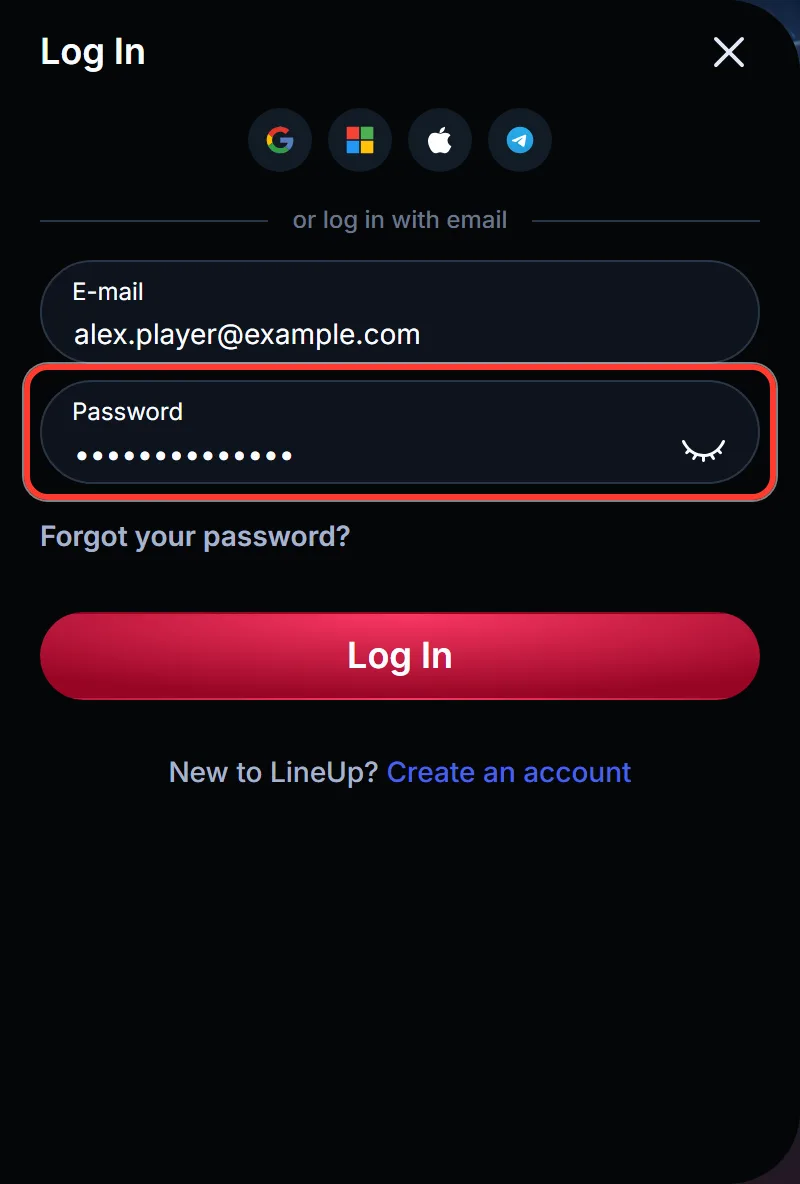
Enter your password in the Password field. If you are not sure of it, use the “Forgot your password?” link in the same window instead of guessing.
4 Press Log In
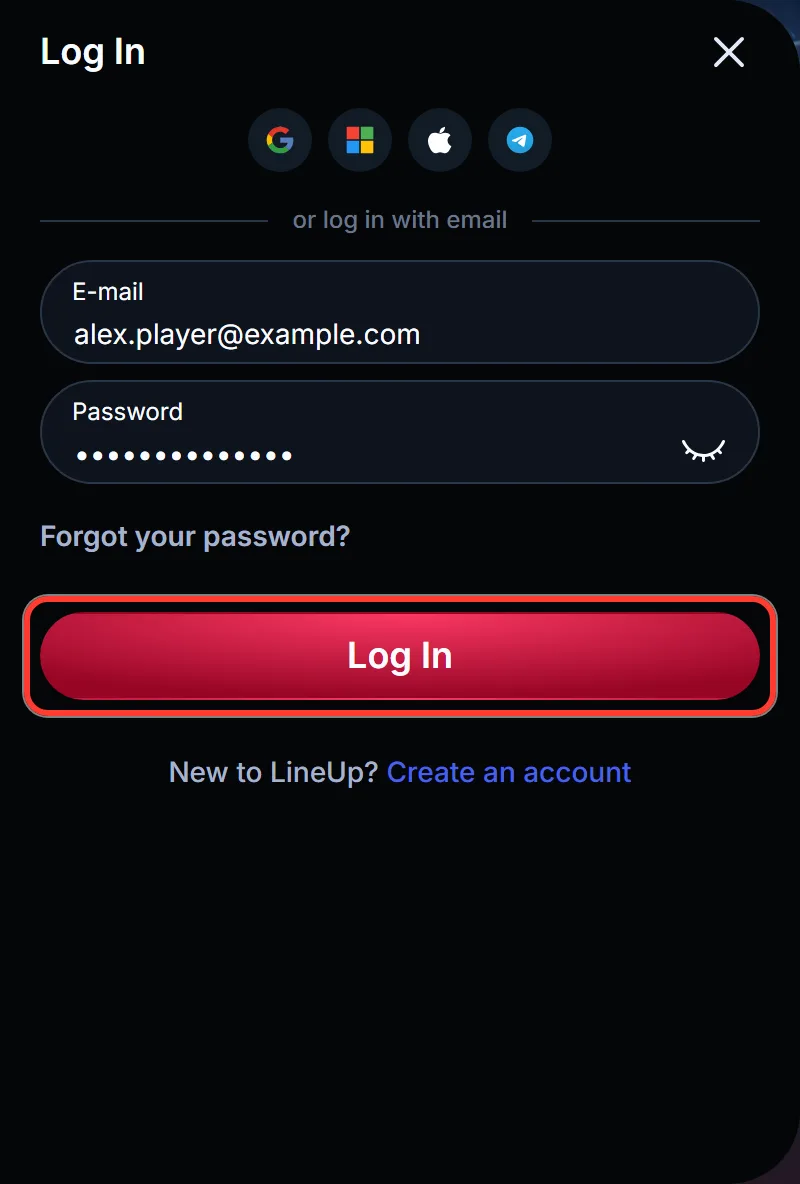
Press the Log In button at the bottom of the form. The window closes and you are back on the page, now signed in.
5 Or tap a social icon
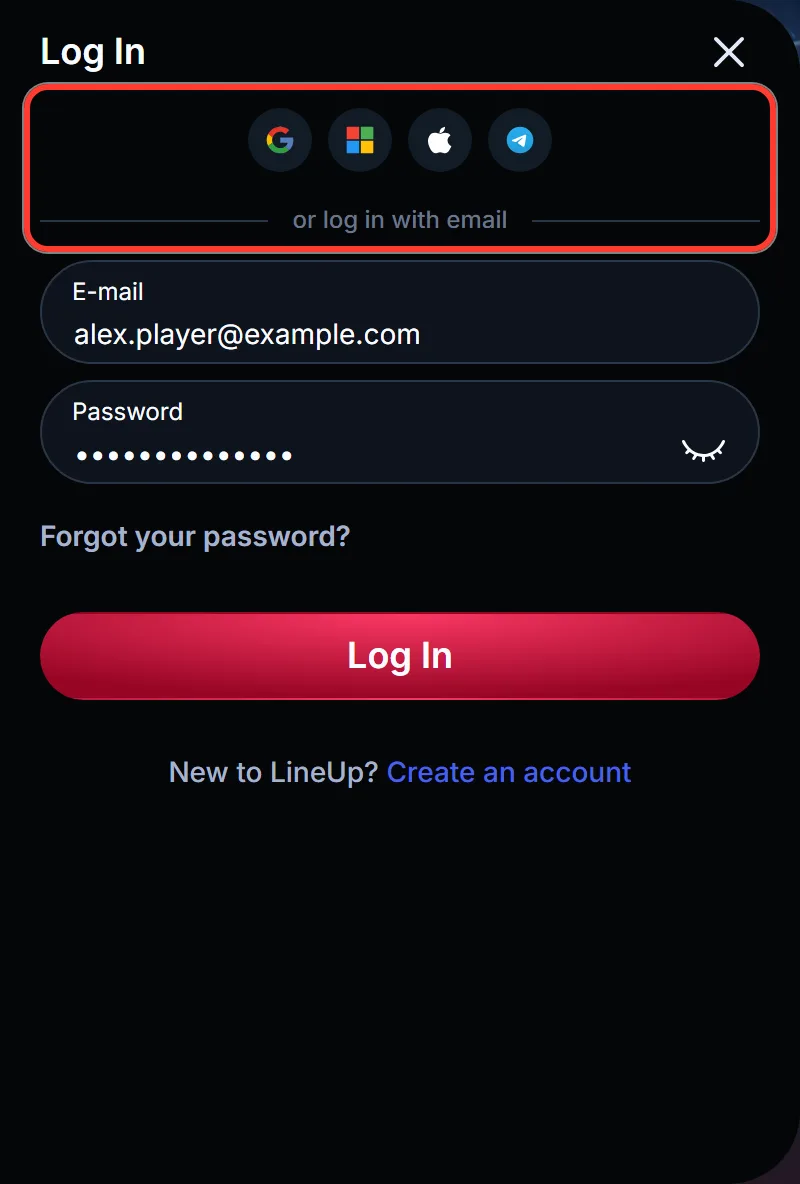
Opened the account with Google, Microsoft, Apple or Telegram? Tap that icon at the top of the window instead of typing an e-mail and password, then confirm access in the service’s own window.
Forgot Your Password? A New One Comes by E-mail
If you forgot your LineUp casino password, the reset lives inside the login window. There are no security questions and no separate page to find. It takes three clicks:
1 Open the reset form
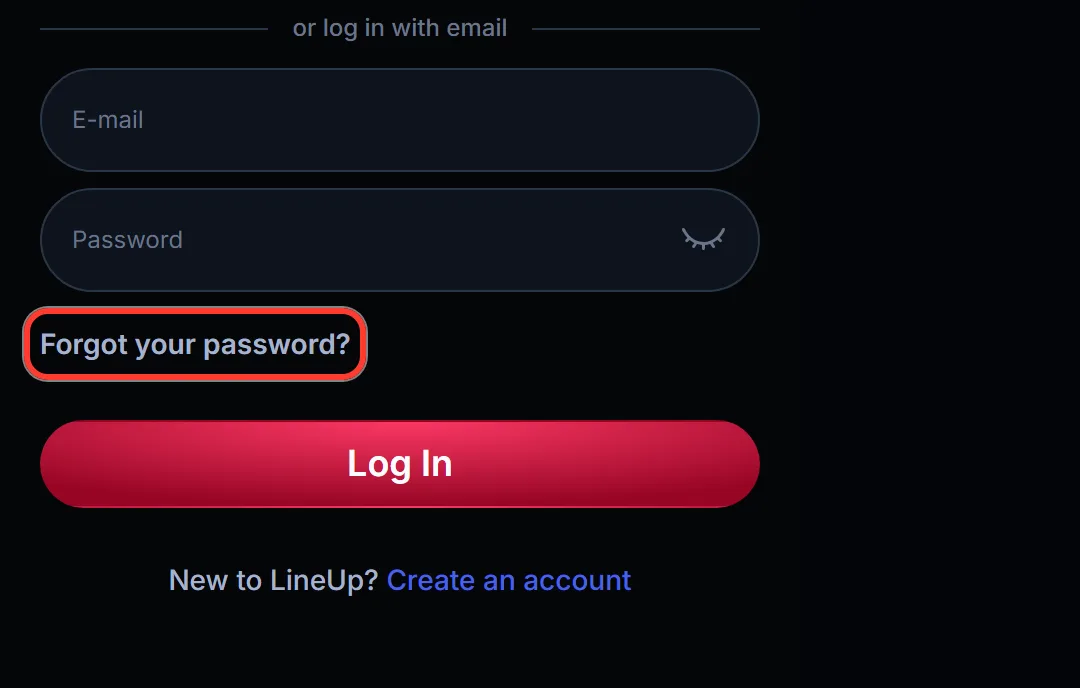
Click “Forgot your password?” in the login window. The window switches to Password reset.
2 Enter your account e-mail
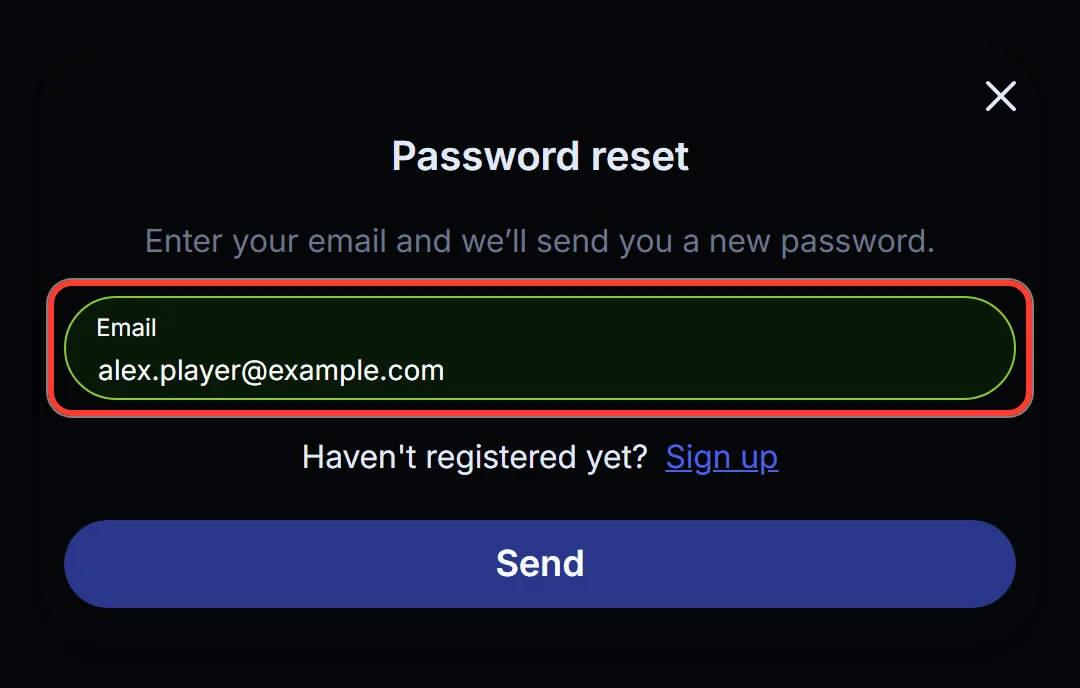
Type the e-mail address of your account into the Email field.
3 Press Send
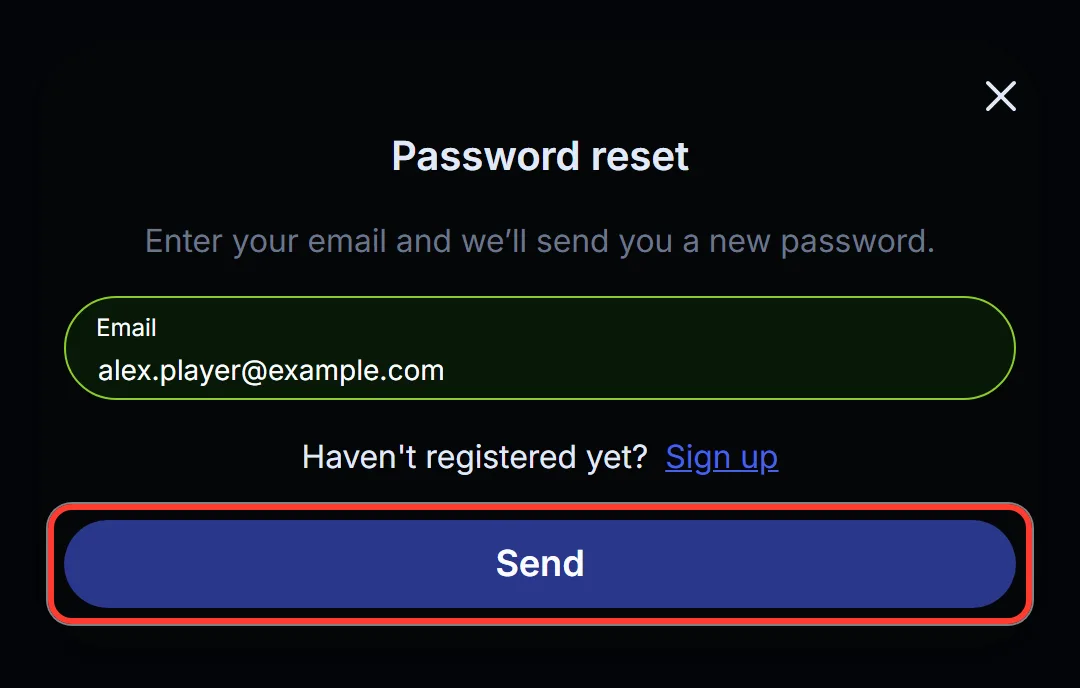
Press Send. The site confirms that a new password is on its way to your e-mail.
Open that message, copy the new password and log in with it as usual. Note that the current form e-mails a ready password, while older help texts on the site still describe a “Reset password” button and a link. If nothing arrives, look in the spam and promotions folders, then check that you typed the address the account was opened with. A reset only goes to that address.
If you joined through a social icon, use that icon to sign in. It does not depend on a LineUp password.
Logging In on iPhone and Android
LineUp has no app in the App Store or Google Play, and you do not need one to sign in from a phone. Open lineup.bet in Safari, Chrome or another mobile browser: the Log In button is in the header, and the window has the same fields, the same reset link and the same four social icons as on a computer.
For quicker access, add the site to your home screen (in Safari through Share, then Add to Home Screen; in Chrome through the browser menu). The LineUp casino mobile web app (PWA) then opens in its own window, like an app, and you log in there exactly as in the browser.
If the phone is shared with family members, log out when you finish. A home screen icon is one tap away for anyone who picks up the device.
What Opens After Login: Wallet, Bonuses, Documents
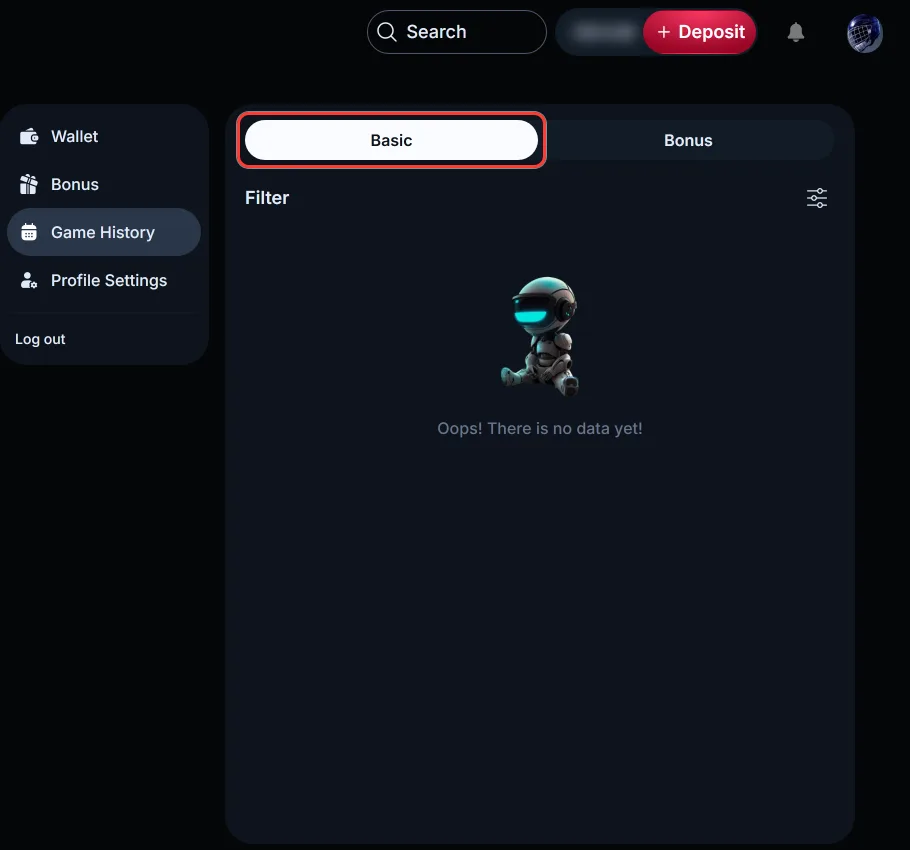
Guests can browse the lobby and open many slots in demo mode, but the cashier, bonus activation and document upload appear only after login. The menu under your avatar has four sections, Wallet, Bonus, Game History and Profile Settings, plus Log out:
| Task | Where to find it | Good to know |
|---|---|---|
| Deposit | + Deposit in the header, or Wallet, Deposit tab | Crypto only, amount typed in C$: pick a coin and network, for example USDT TRC20 |
| Casino deposit bonus | Bonus info in the deposit form, then Bonus | Accept it after the payment; one bonus can be active at a time |
| Free spins and promo codes | Bonus, Free Spins tab; Bonus tab for Enter promo code | No more than 25 spins are credited per day |
| Sport Welcome Pack Bonus Bet | Sports page | Activated manually after a qualifying cash bet |
| Withdrawal | Wallet, Withdrawal tab | Needs a complete profile, a verified account and bets of 3x your last deposit |
| Transaction History | Wallet, Transaction History tab | Deposits and withdrawals with filters; a pending payout can be cancelled |
| Game History | Game History, Basic and Bonus tabs | Past rounds and bets |
| Profile and documents | Profile Settings: Profile Info, Verification, Change Password | Photo ID, Proof of Address, Proof of Payment, Another Document |
Protecting Your LineUp Account
A LineUp password can be 5 to 64 characters long and may mix numbers, Latin letters and symbols such as # $ @ & ! %. Five characters are allowed, but aim for the upper end of the range, and do not reuse the password of your e-mail account.
That inbox matters more than it seems. One e-mail address holds one LineUp account, and a password reset always lands there, so whoever controls the mailbox can get into the account. Protect it first.
With social sign-in, security moves to the provider: an account opened through Google, Microsoft, Apple or Telegram is guarded by that service’s own settings, including any two-step check you turned on there.
Every LineUp casino sign in should start at lineup.bet, typed by hand or from your home screen icon. Do not enter your password on look-alike addresses or in links from unknown messages, and do not let a shared browser save it.
Can’t Get In? Causes and Fixes
Most failed logins have a simple reason. Find the symptom and work through the fix before you write to support:
| What happens | Likely reason | What to do |
|---|---|---|
| The password is not accepted | A typo, caps lock or an old password | Retype it slowly, or request a new one through “Forgot your password?” |
| The e-mail is not recognised | The account uses another address or a social icon | Try your other inboxes, or the icon you signed up with |
| The new password never arrives | Spam filter or a different address | Check spam and promotions, then contact support |
| The window does not open or freezes | Browser cache, an ad blocker or a VPN | Refresh, clear cache and cookies, switch browser, turn off ad blockers and VPN |
If none of your addresses works, the account may never have been created. In that case you can create a LineUp casino account with an e-mail and a password.
When nothing on the list helps, contact support. Live Chat opens from every page, including the one with the login window, and support@lineup.bet answers by e-mail. Getting back in goes through support: do not look for copies of the site or a VPN route around an error.
Login Questions From LineUp Players
Can I use one account on my phone and my laptop?
Yes. The account is tied to your e-mail or social profile, not to a device, so the same details work in any browser and in the home screen web app. Log out on devices that are not yours.
Does the LineUp Bet login also open the sportsbook?
Yes. After you log in, the Sports section works with the same account: odds appear in American format, such as +148, and Sport Welcome Pack Bonus Bets are activated right on the Sports page. You do not need a second registration for betting.
Why did I get a new password instead of a reset link?
That is how the current Password reset form works: you enter your e-mail, press Send, and the site e-mails a ready password. Use it to log in. Keep the message private, since anyone with that password can access the account.
Is the login screen available in French?
The site works in English: the language switcher in the header shows EN, and the login window and the reset form are in English. Support answers through Live Chat and support@lineup.bet.
I set a self-exclusion. When can I play again?
Access returns when the period you chose ends; a permanent exclusion is lifted only by a written request, 7 days after it.